
Inviting Members to a Workspace & Assigning Roles
Inviting Members to a Workspace & Assigning Roles
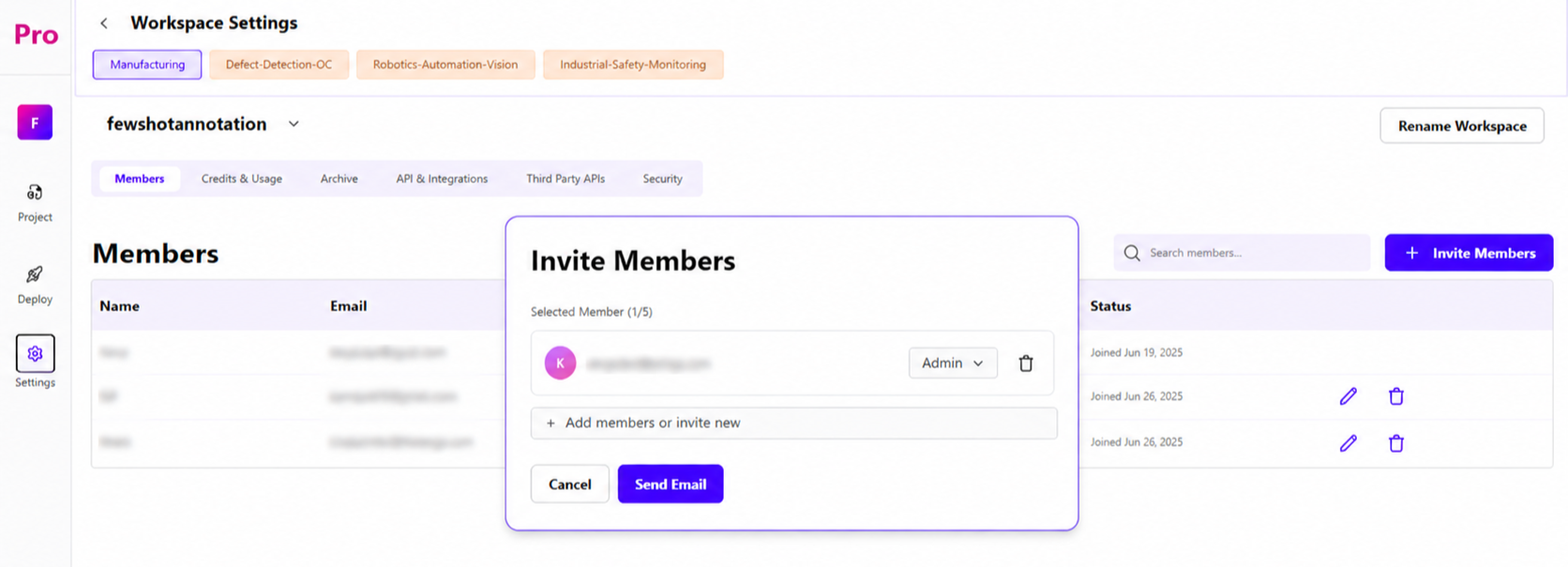
Annotators do not have access to Workspace Settings.Settings are available to Superadmin, Admin and Engineers.
Go to your Workspace Settings.
Select the member you want to add - you can only choose from people who are already part of your Organization.
Send the invite. Once accepted, they become a member of that Workspace.
Assign them a Role to define what they can access and do within the workspace (see table below).
Roles & Permissions
Project Visibility - Private vs Public
When creating a project, the creator (e.g., a Superadmin) chooses its Availability:
Private - the project is visible only to its creator (plus anyone explicitly added via "Add Members to Project").
Public - the project is visible to everyone in the workspace.