
Organization Settings
Organization Settings is the umbrella settings area for your entire organization account, separate from any single workspace or project. It's where you manage the organization's identity, who has access to it, and its billing, rather than settings tied to one specific workspace. It has four tabs: Details, Members, Credits & Usage, and Plans & Billing.
1. Details
The Details tab shows the Associated Partner Details form, capturing the organization or individual information the workspace was created for.
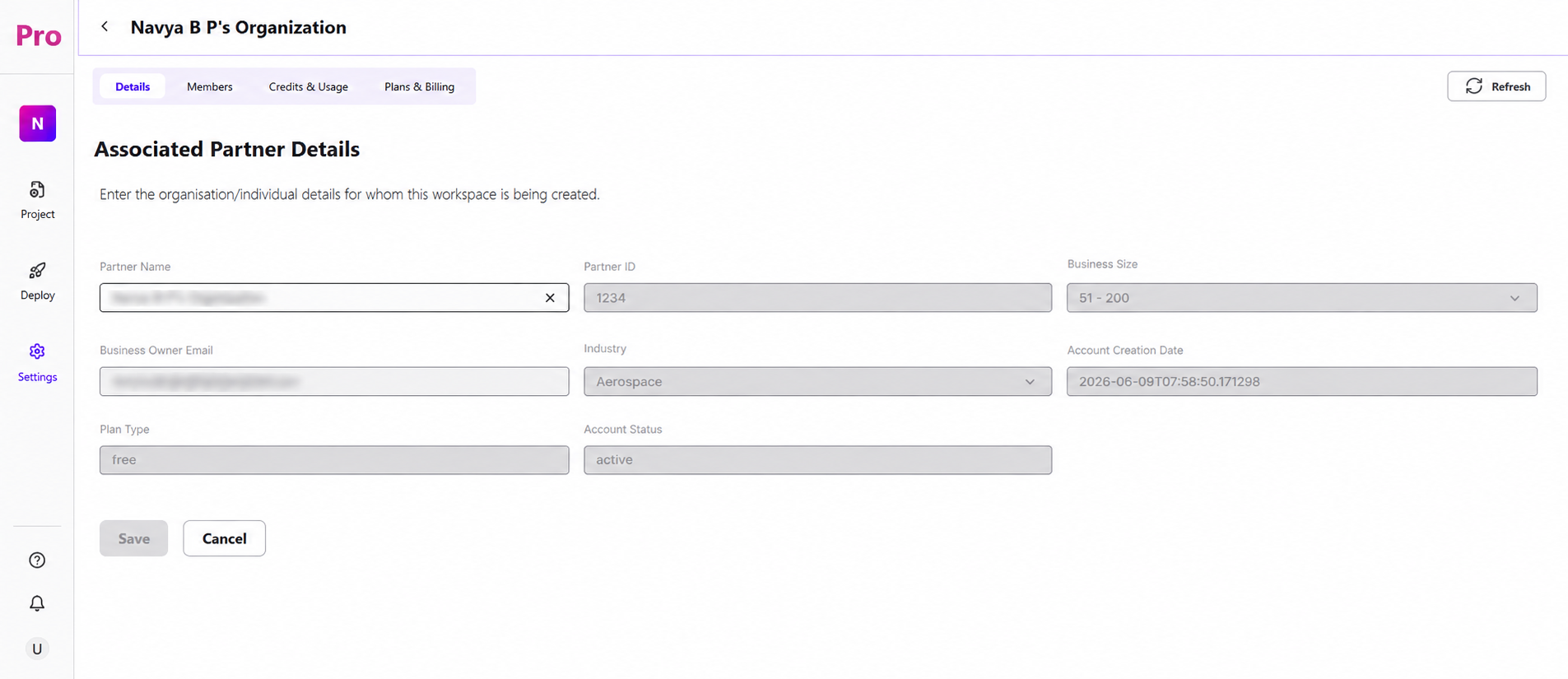
Partner Name: the registered name of the organization or individual associated with this account.
Partner ID: a unique identifier tied to that partner record.
Business Size: a dropdown indicating employee headcount range (e.g., 51–200).
Business Owner Email: the contact email for the account owner.
Industry: a dropdown for the organization's industry category (e.g., Aerospace).
Account Creation Date: the timestamp the account was originally created.
Plan Type: the current subscription plan the organization is on (e.g., free).
Account Status: whether the account is currently active or inactive.
Save / Cancel: Save commits any changes made to these fields; Cancel discards them and reverts to the last saved values.